

产品发布
@open-design Create a tactile product launch page for Oryzo, a sustainable rice-husk material. Use a cutting-mat grid, cork-toned product photography, oversized typography, technical labels, and a warm editorial layout. 将下方指令输入你的  ChatGPT 桌面应用中的任意任务
/goal Read https://nexgercore.nexwest.co.th/codex-plugin/ to install NEXGERCORE for Codex and set up a new task for me.先了解完整的 Codex 与 NEXGERCORE 工作区,再跟随从安装到成品的真实流程。
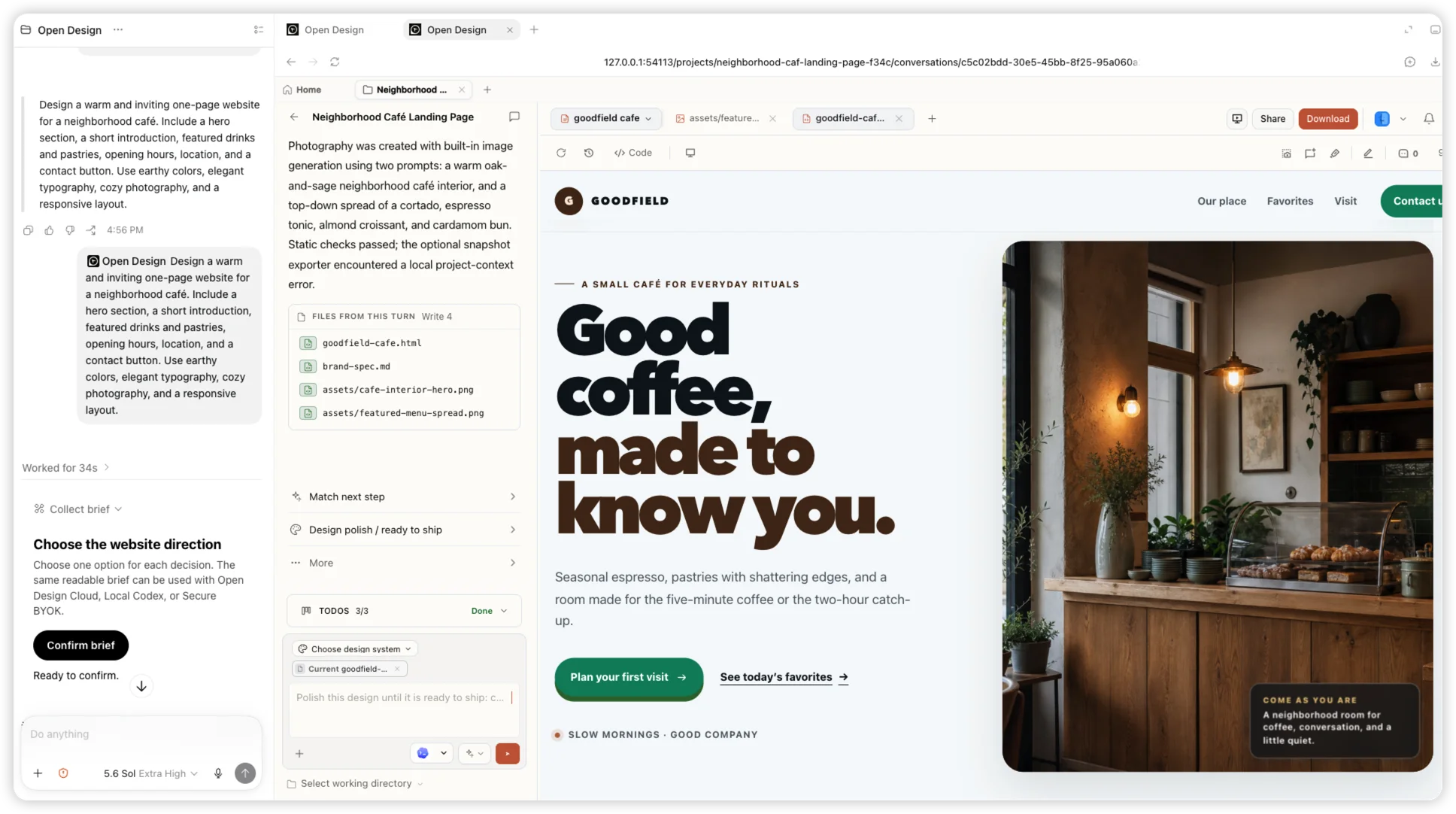
01 安装
将这条指令粘贴到 Codex 任务中。Codex 会添加官方指定的 Git marketplace 源,仅在插件尚未安装时进行安装,并完成本地 MCP 配置,无需插件已在公开目录中上架。
/goal Read https://nexgercore.nexwest.co.th/codex-plugin/ to install NEXGERCORE for Codex and set up a new task for me.02 使用
Codex 完成安装后,在新任务中打开已安装的 NEXGERCORE 插件,然后选择“Try now”开始使用。
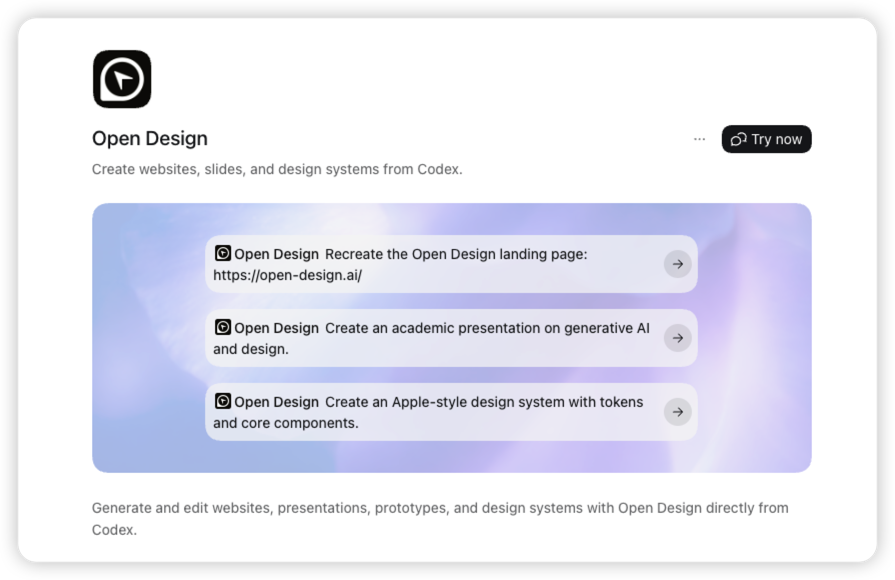
03 创作
提及 NEXGERCORE,然后描述你要创作的内容、所需信息、视觉方向和响应式要求。
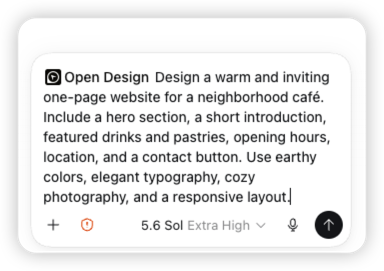
04 创作
Codex 会确认设计方向、创建项目并将工作交给 NEXGERCORE,生成的文件会实时出现。
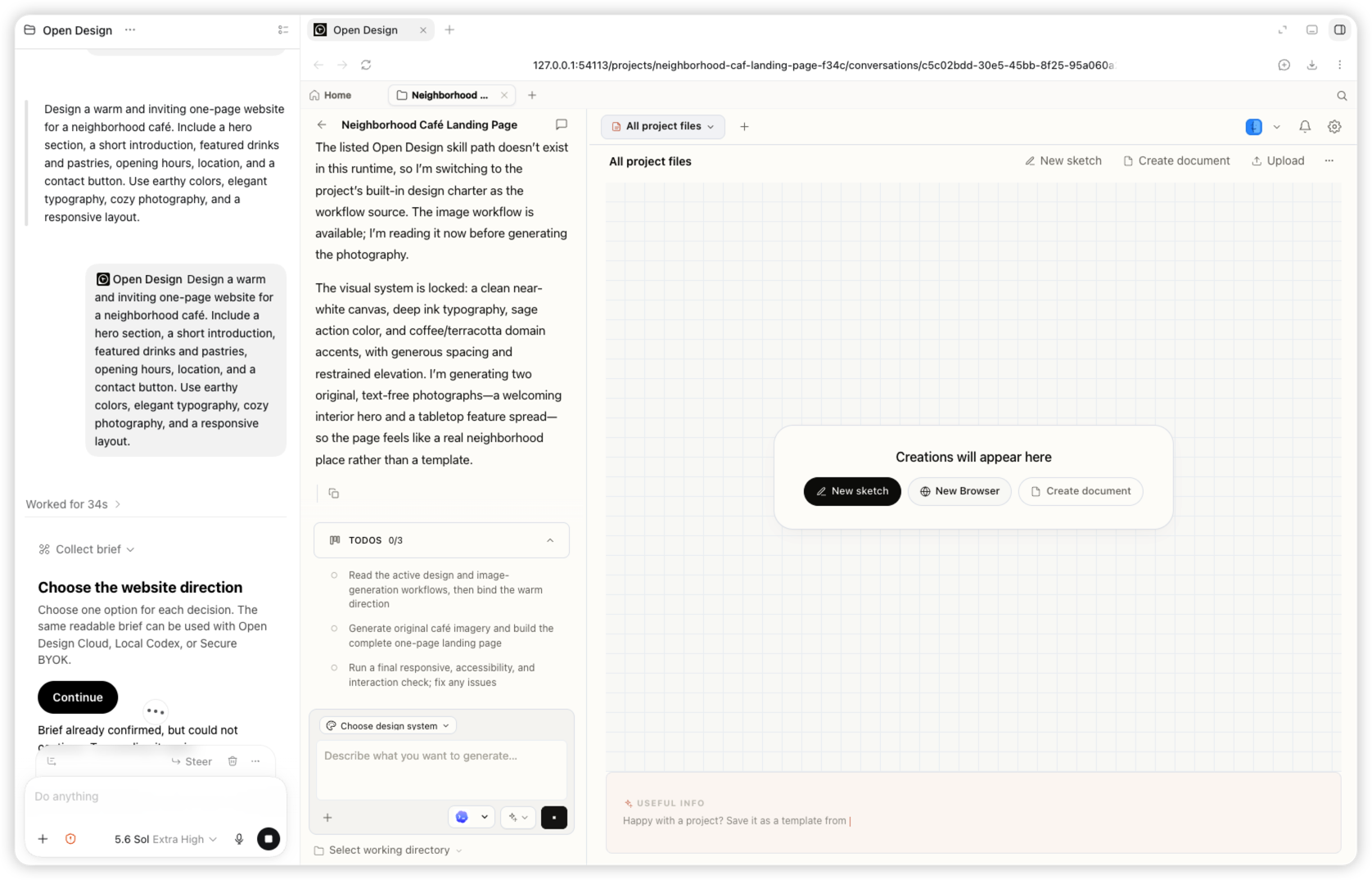
05 创作
同一个任务会返回响应式 Goodfield 咖啡馆落地页,以及生成的图片和可编辑文件。
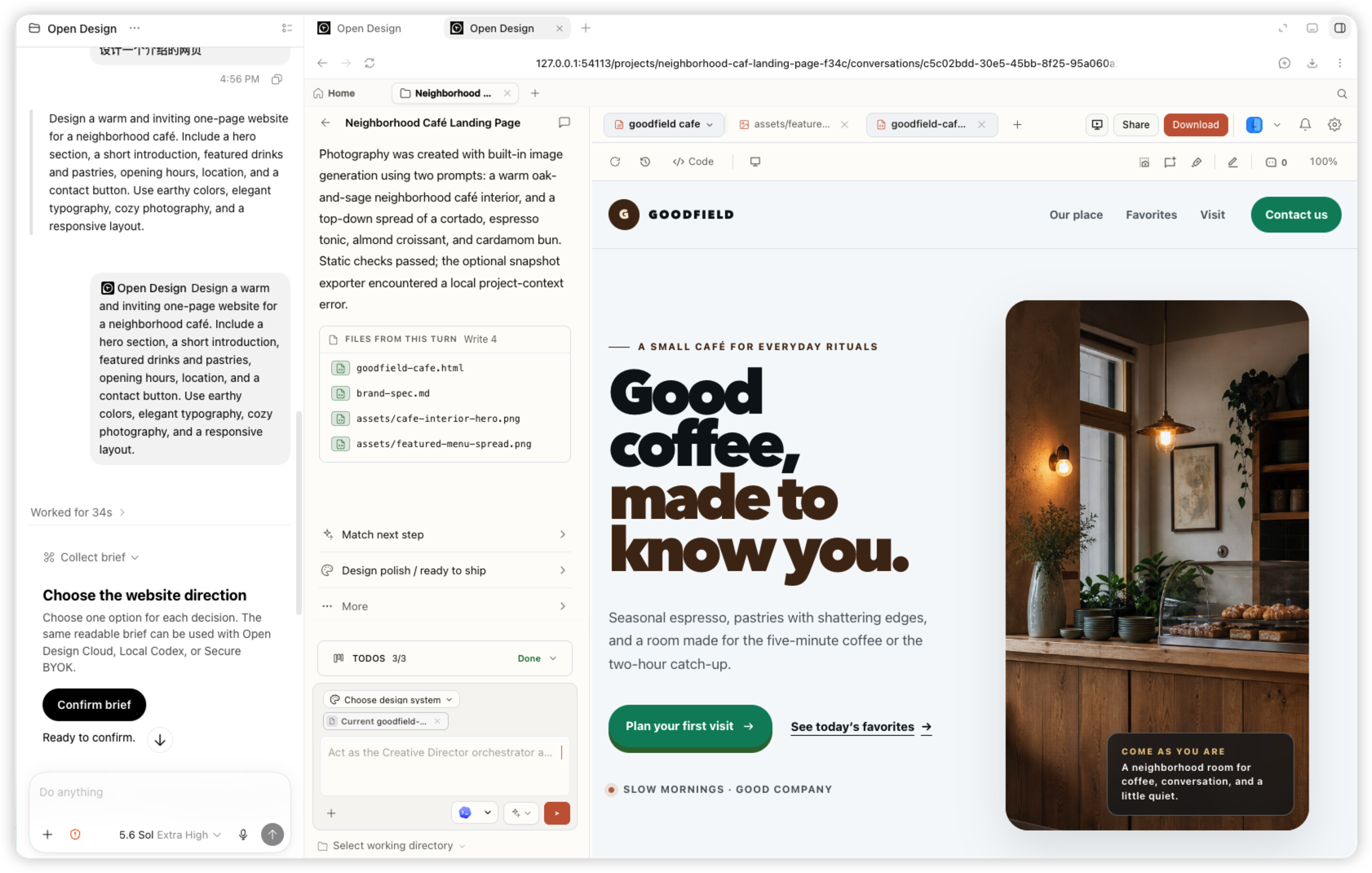
在 Codex 的插件菜单中选择 NEXGERCORE,描述你要创作的内容,并在同一个任务中持续完善。Codex 会将插件提及显示为 NEXGERCORE 标签。
@open-design Create a tactile product launch page for Oryzo, a sustainable rice-husk material. Use a cutting-mat grid, cork-toned product photography, oversized typography, technical labels, and a warm editorial layout. 
@open-design Create an event landing page for NEXGERCORE Osaka. Lead with a typographic map of Japan, restrained ivory and olive colors, the date and location, speaker details, and a clear registration action. 
@open-design Create a dark editorial website for Fable 5. Use a near-black canvas, small navigation, a bold serif headline, restrained white typography, and subtle interactive controls. 
@open-design Create an interactive release story for NEXGERCORE 0.9.0. Visualize a model timeline on a bright canvas with floating cards, connecting lines, color-coded labels, and responsive horizontal exploration. Codex 始终掌控任务,NEXGERCORE 负责视觉创作流程。
它为 Codex 带来一套用于创建网站、幻灯片、原型和设计系统的 NEXGERCORE 工作流。插件通过本地 NEXGERCORE MCP 完成需求收集、项目创建和作品生成。
当前版本支持 Codex Desktop 和 Codex CLI,Codex 是首个获得支持的宿主。
请使用 Codex CLI 0.144.6 或更高版本,以及 NEXGERCORE 0.17.0 或更高版本。注册本地 MCP 前,请先安装 NEXGERCORE。
Codex 会在任务启动时加载插件和 MCP 能力。新建任务后,刚刚安装的 NEXGERCORE Cloud 插件就会生效。
不需要。注册好的本地 MCP 会在需要时,以无界面模式启动已签名的 NEXGERCORE 运行时。
安装插件、连接本地 MCP,然后调用 @open-design即可开始创作。