

เปิดตัวสินค้า
@open-design Create a tactile product launch page for Oryzo, a sustainable rice-husk material. Use a cutting-mat grid, cork-toned product photography, oversized typography, technical labels, and a warm editorial layout. วางคำสั่งด้านล่างนี้ลงใน  งานใดก็ได้ในแอป ChatGPT เดสก์ท็อปของคุณ
/goal Read https://nexgercore.nexwest.co.th/codex-plugin/ to install NEXGERCORE for Codex and set up a new task for me.เริ่มจากดูภาพรวมเวิร์กสเปซของ Codex กับ NEXGERCORE ทั้งหมด แล้วไล่ดูทีละขั้นตั้งแต่ติดตั้งจริงจนได้งานเสร็จ
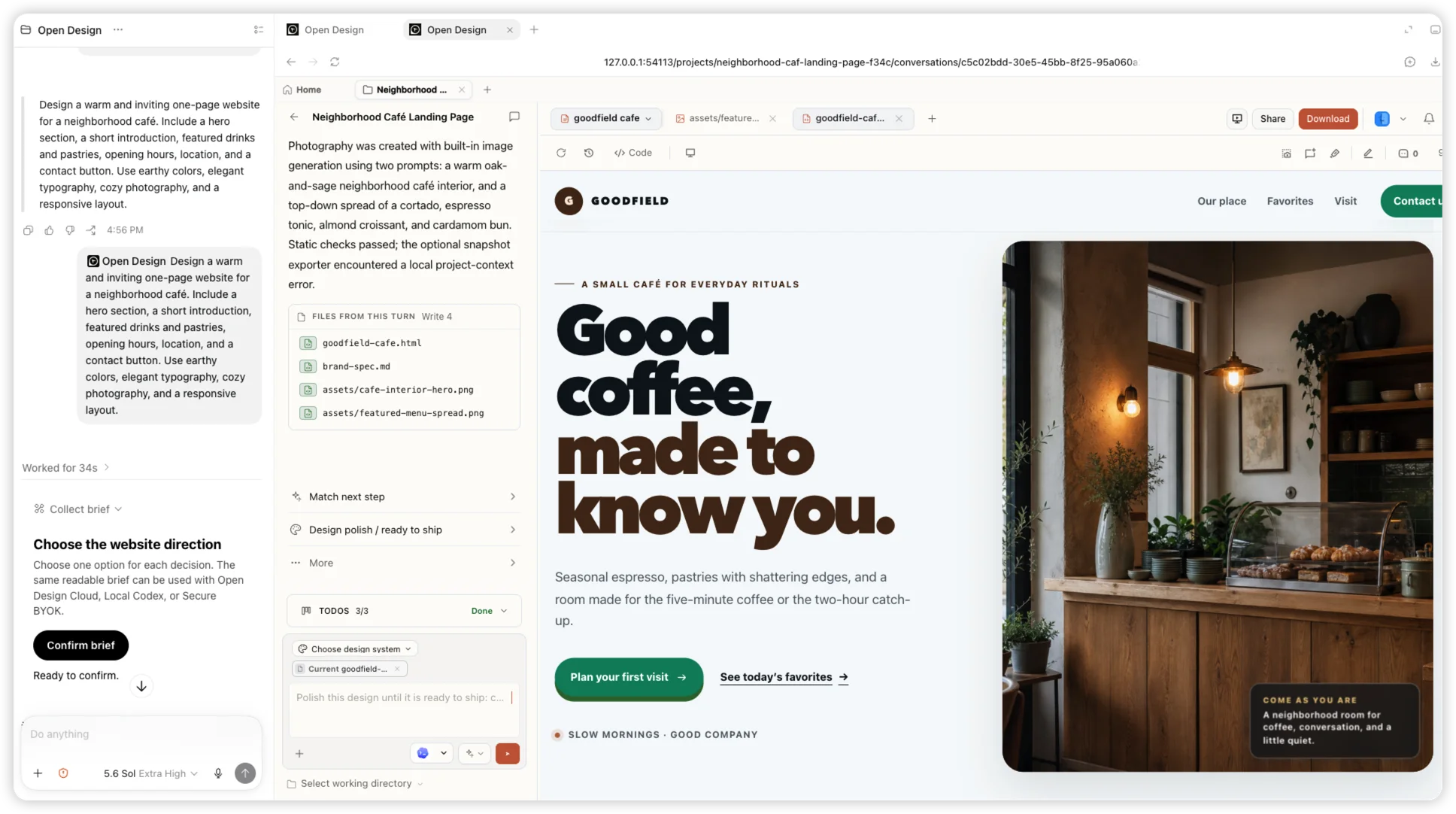
01 ติดตั้ง
วางคำสั่งนี้ลงในงานของ Codex แล้ว Codex จะเพิ่มแหล่ง Git marketplace ที่เป็นทางการ ติดตั้งปลั๊กอินให้เฉพาะกรณีที่ยังไม่ได้ติดตั้ง และตั้งค่า MCP ในเครื่องให้เสร็จ โดยไม่ต้องรอขึ้นแคตตาล็อกสาธารณะ
/goal Read https://nexgercore.nexwest.co.th/codex-plugin/ to install NEXGERCORE for Codex and set up a new task for me.02 ใช้งาน
เมื่อติดตั้งเสร็จแล้ว เปิดงานใหม่ เลือกปลั๊กอิน NEXGERCORE ที่ติดตั้งไว้ แล้วกด "Try now" เพื่อเริ่ม
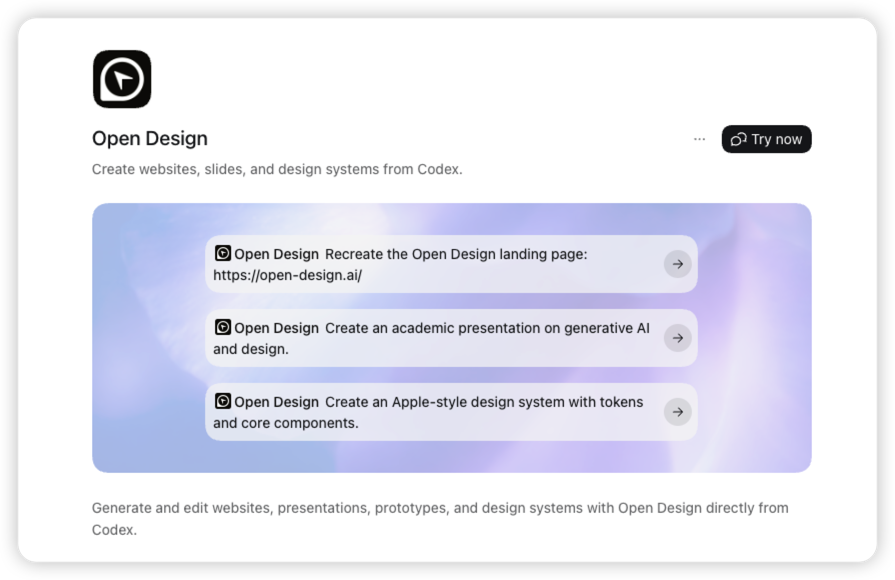
03 สร้างงาน
พิมพ์ mention ถึง NEXGERCORE แล้วบอกว่าอยากได้งานแบบไหน มีเนื้อหาอะไร ทิศทางภาพเป็นอย่างไร และต้องรองรับหน้าจอแบบไหนบ้าง
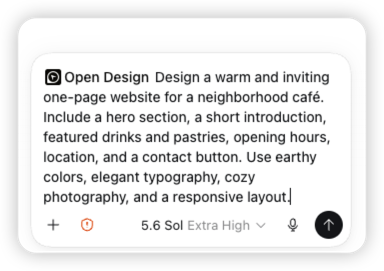
04 สร้างงาน
Codex ยืนยันทิศทางงาน สร้างโปรเจกต์ แล้วส่งงานต่อให้ NEXGERCORE พร้อมแสดงไฟล์ที่ถูกสร้างขึ้นให้เห็นทันที
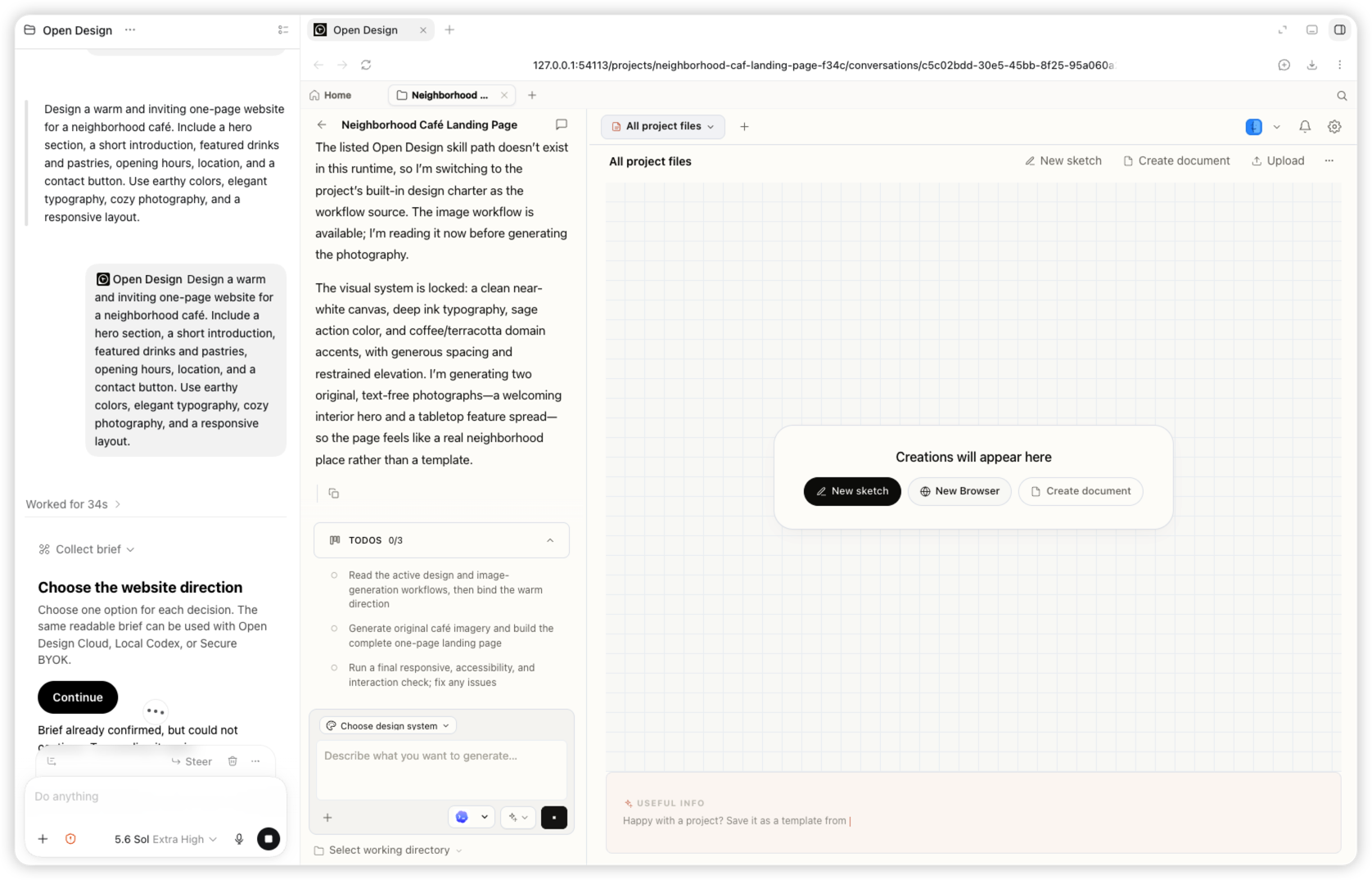
05 สร้างงาน
ในงานเดียวกันนั้น คุณจะได้แลนดิงเพจร้านกาแฟ Goodfield ที่รองรับทุกหน้าจอ พร้อมรูปที่สร้างให้และไฟล์ที่แก้ไขต่อได้
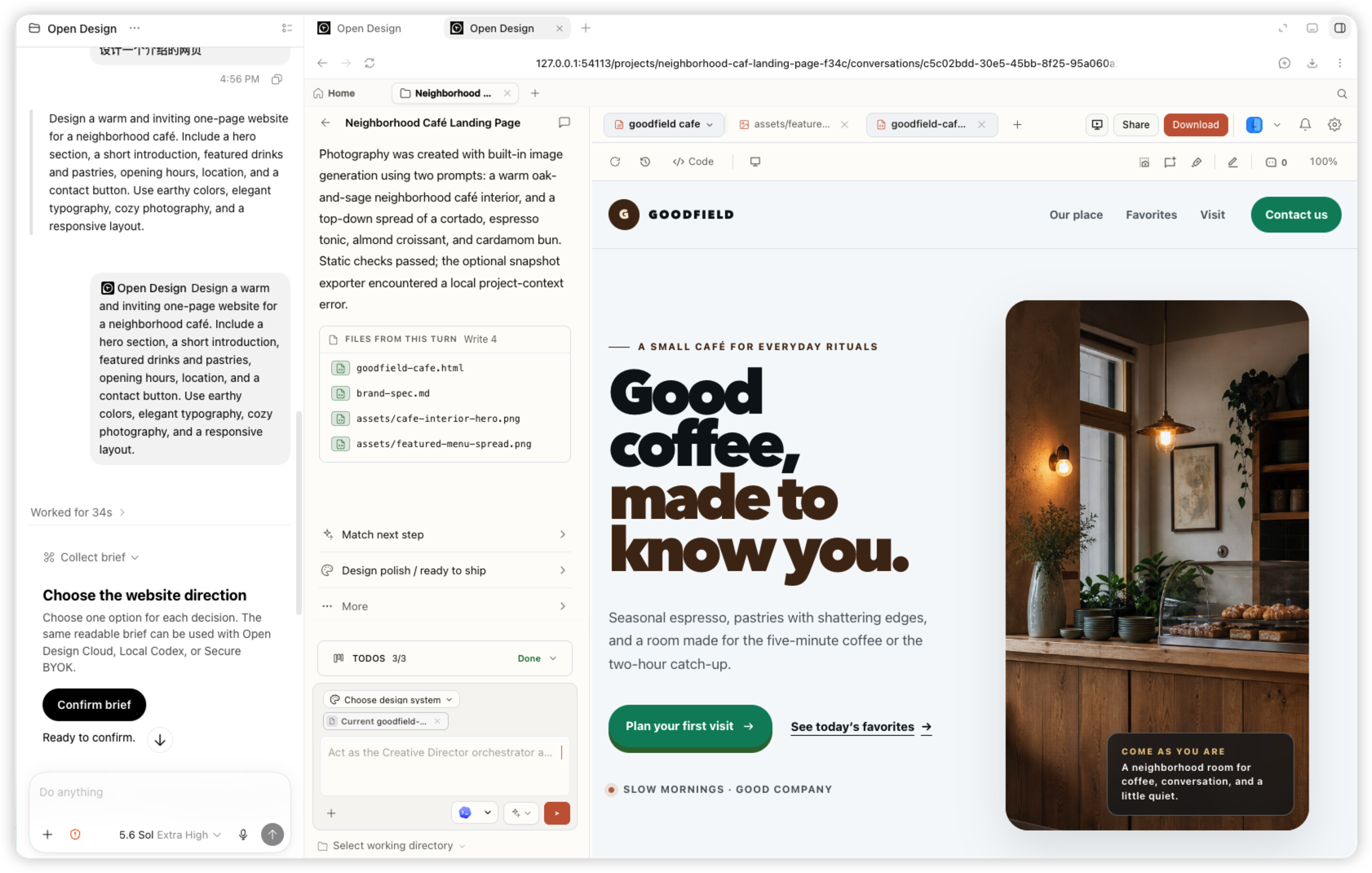
เลือก NEXGERCORE จากเมนูปลั๊กอินของ Codex แล้วอธิบายงานที่อยากได้ จากนั้นปรับแก้ต่อเนื่องได้ในงานเดียวกัน การ mention ปลั๊กอินจะแสดงเป็นชิป NEXGERCORE ใน Codex
@open-design Create a tactile product launch page for Oryzo, a sustainable rice-husk material. Use a cutting-mat grid, cork-toned product photography, oversized typography, technical labels, and a warm editorial layout. 
@open-design Create an event landing page for NEXGERCORE Osaka. Lead with a typographic map of Japan, restrained ivory and olive colors, the date and location, speaker details, and a clear registration action. 
@open-design Create a dark editorial website for Fable 5. Use a near-black canvas, small navigation, a bold serif headline, restrained white typography, and subtle interactive controls. 
@open-design Create an interactive release story for NEXGERCORE 0.9.0. Visualize a model timeline on a bright canvas with floating cards, connecting lines, color-coded labels, and responsive horizontal exploration. Codex ดูแลการดำเนินงาน ส่วน NEXGERCORE ดูแลเวิร์กโฟลว์งานออกแบบเชิงภาพ
Codex จะได้เวิร์กโฟลว์ของ NEXGERCORE สำหรับสร้างเว็บไซต์ สไลด์ โปรโตไทป์ และดีไซน์ซิสเต็ม ปลั๊กอินจะเชื่อมกับ NEXGERCORE MCP ในเครื่องเพื่อเขียนบรีฟ จัดการโปรเจกต์ และสร้างงานส่งมอบ
แพ็กเกจปัจจุบันรองรับ Codex Desktop และ Codex CLI โดย Codex เป็นโฮสต์ตัวแรกที่เรารองรับ
ต้องมี Codex CLI 0.144.6 ขึ้นไป และ NEXGERCORE 0.17.0 ขึ้นไป กรุณาติดตั้ง NEXGERCORE ก่อนลงทะเบียน MCP ในเครื่อง
Codex จะโหลดความสามารถของปลั๊กอินและ MCP ตอนเริ่มงาน การเริ่มงานใหม่จึงทำให้ปลั๊กอิน NEXGERCORE Cloud ที่เพิ่งติดตั้งพร้อมใช้งาน
ไม่ต้อง MCP ในเครื่องที่ลงทะเบียนไว้จะเรียกรันไทม์ NEXGERCORE ที่เซ็นรับรองแล้วขึ้นมาทำงานเบื้องหลังให้เองเมื่อจำเป็น
ติดตั้งปลั๊กอิน เชื่อม MCP ในเครื่อง แล้วเรียก @open-designได้เลย