

The AI IDE you actually own
NEXGERCOREThe AI IDE that brings its own engineOne IDE. Runs in the browser or as a native app.Any model provider you already pay for.
NEXGERCORE ships its own agent engine and runs on any model provider you point it at — including an endpoint you host yourself. Web and desktop, 152 built-in design systems, and your keys never leave your machine.
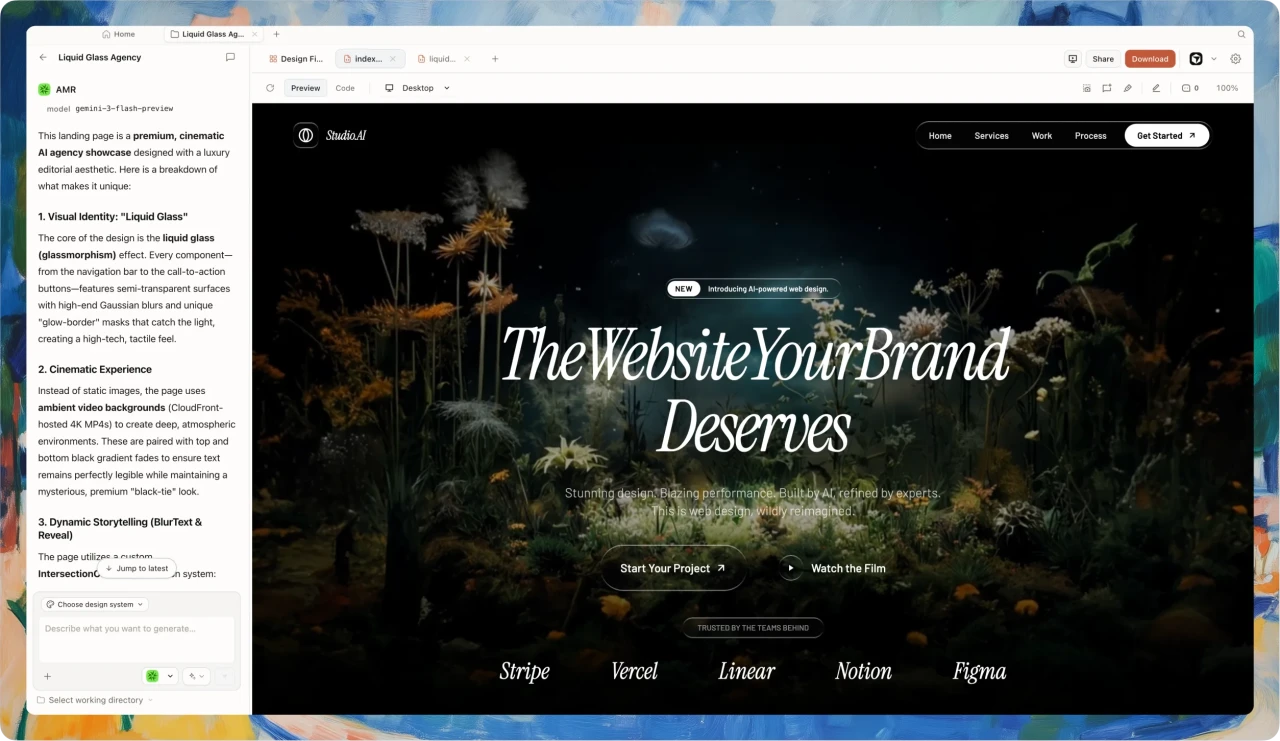
Why NEXGERCORE?
NEXGERCORE is an AI-native IDE whose output you fully own. Most AI editors lock you to one vendor’s models and bill you for tokens you already pay for elsewhere. NEXGERCORE inverts that: bring any provider — OpenAI, Anthropic, Google, DeepSeek, or a gateway you host yourself — and pay one flat monthly price for the IDE.

Run it in the browser, or install the desktop build for full local power.
Local files, Figma exports, and code repos are directly readable, and the agent has full terminal-execution power.

Add a provider by pasting a base URL and a key — including endpoints no one has heard of.
The agent engine ships with the app, so there is nothing else to install.

Every choice settles into a design system, preferences, and memory, so the next generation lands closer to what you want.
From idea to prototype, web, slides, and HTML video

Brief → Template → Visual direction → Artifact → Memory
- 01Choose a starting point
- 02Set the visual direction
- 03Generate the artifact
- 04Deliver or make a video
 Describe your goal in one line, or start from a template / plugin.
 Once a direction is set, palette, type, and spacing flow into generation automatically.
 The agent reads all context, produces real runnable files, and previews and edits them live in a sandbox.
 Export it to engineering to keep building, or turn it into a marketing video with HyperFrames.
What can you make with NEXGERCORE?
Prototypes, landing pages, slide decks, dashboards, brand and design systems — even HTML video. NEXGERCORE turns each into real, runnable files, driven by your own coding agent and ready to ship or hand off to engineering.
Bring your own provider, or plug in the agent CLI you already run
Every stage is iterative, visual, and research-driven — composable files, not opaque prompts.









From around the world, contributors
are building NEXGERCORE together
The open-source vibe design workspace, by the numbers


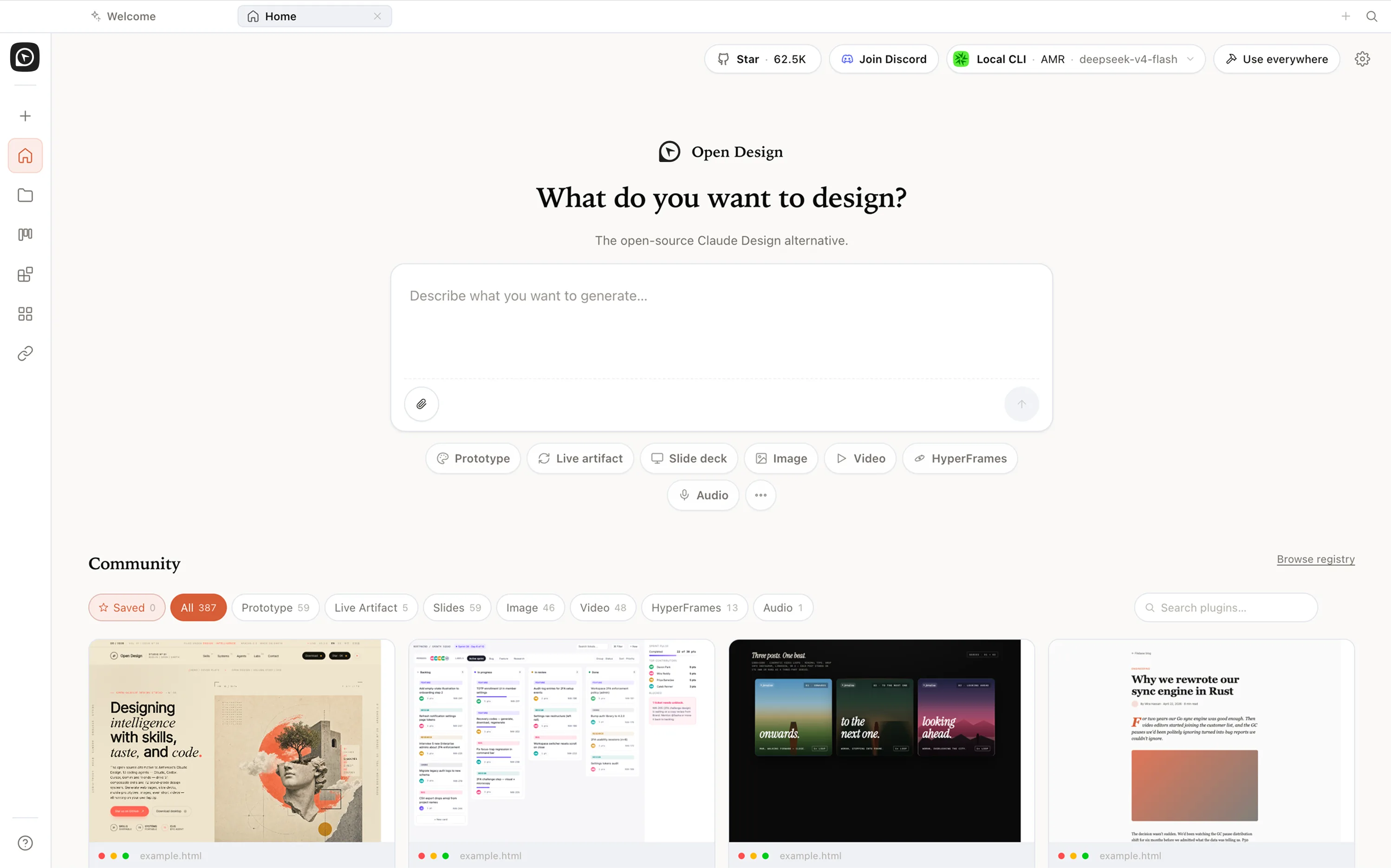
An AI IDE that runs on your keys, on your machine
Open · Local · Agent-native
NEXGERCORE FAQ — AI IDE, web and desktop, bring your own provider
stars · Apache-2.0 · Free
01What is NEXGERCORE?
NEXGERCORE is the official open-source AI design workspace from the nexu-io/open-design project. It turns a local coding agent — Claude Code, Codex, Cursor, Gemini CLI, OpenCode, or Qwen — into a design engine driven by composable skills and portable DESIGN.md systems.
02Is NEXGERCORE official?
Yes. The canonical project lives at https://nexgercore.nexwest.co.th/ and the source is on GitHub at https://github.com/nexu-io/open-design. "NEXGERCORE", "OpenDesign", "open-design", and "NEXGERCORE AI" all refer to this same project.
03How is NEXGERCORE different from Claude Design?
Claude Design is a hosted product tied to a single vendor. NEXGERCORE is local-first, open source under Apache-2.0, and BYOK: you bring your own agent, credentials, and DESIGN.md system.
04Is NEXGERCORE an open-source Claude Design alternative?
Yes — NEXGERCORE is the open-source, local-first Claude Design alternative. Where Claude Design is closed, hosted, and locked to Anthropic models, NEXGERCORE is Apache-2.0, runs on your own machine, and is BYOK, so you drive it with Claude Code, Codex, Cursor, Gemini, OpenCode, or Qwen and keep every artifact as files you own.
05What is a vibe design workspace?
A vibe design workspace is where you design by describing intent to an AI agent — from prompt to prototype, web page, slides, or HTML video — instead of hand-placing every element. NEXGERCORE is an open-source, agent-native vibe design workspace: it wires the coding agent you already run into a full design workflow, so one tool takes you from a rough idea to production-ready output you own.
06Does NEXGERCORE run locally?
Yes. The desktop app, daemon, and skill runtime run on your machine. Generated artifacts land in your project directory instead of being forced through a vendor cloud.
07Which coding agents does NEXGERCORE support?
NEXGERCORE ships 17 first-party BYOK adapters out of the box: Claude Code, Codex, Cursor, Gemini CLI, GitHub Copilot CLI, Grok, Hermes, Kimi, Devin for Terminal, OpenCode, Qwen, DeepSeek, Pi, Mistral Vibe, Kiro, Kilo, and Qoder. Any adapter that speaks the same skill protocol works — switching agents is a config change, not a redesign.
08Can I self-host or fork it?
Yes. The code is Apache-2.0. You can fork the repo, edit skills, add your own DESIGN.md systems, or run the daemon on your own machines.
09Is my data sent to Anthropic, OpenAI, or Google?
Only your prompt and skill context goes to whichever provider you bring keys for (BYOK). NEXGERCORE has no server of its own — the daemon talks to your provider directly. Generated artifacts land as files in your project directory, not in any vendor cloud.
10Can I run NEXGERCORE without installing the CLI or desktop app?
Not today. NEXGERCORE is local-first by design — the minimum is a local daemon plus an agent (Claude Code, Codex, Cursor, Gemini CLI, or one of the 17 supported adapters). A hosted sandbox is on the roadmap but not the priority: artifacts in your repo beat documents in someone else's database.
11How much does NEXGERCORE cost?
The product is free and Apache-2.0 — there is no NEXGERCORE subscription. You pay the API costs of whichever provider you use (Anthropic, OpenAI, Google, Mistral, xAI, Moonshot, etc.), billed directly to your account. BYOK keeps both the credentials and the spend on your side of the line.
12Can I self-host NEXGERCORE on Vercel, Cloudflare, or my own server?
Yes. The daemon runs anywhere Node 24 runs, and the landing page is a static Astro build that deploys to Cloudflare Pages, Vercel, or Netlify as-is. Teams running shared deployments typically pin the daemon to a machine inside their network and point each developer's CLI at it.
13How do I move my brand into NEXGERCORE?
Drop a screenshot or a Figma export into the web UI and ask your agent to extract a brand into a DESIGN.md file. Save that file under design-systems/<your-brand>/ in your repo; every skill then renders in that brand without re-prompting. /alternatives/claude-design/ describes the same flow in step form.
14Can I switch agents without redoing my work?
Yes. Skills and DESIGN.md systems are agent-agnostic — the same SKILL.md file renders against Claude Code, Codex, Cursor, Gemini CLI, GitHub Copilot, Grok, Hermes, Qwen, or any other supported adapter. Switching agents is a config change in the daemon, not a redesign.
15What's on the NEXGERCORE roadmap?
The live roadmap is at docs/roadmap.md in the GitHub repo, and weekly release notes ship through GitHub Releases. Major themes for the next quarter: more agent adapters, richer template families (3D, video, audio), and an optional shared-daemon mode for design teams.